Stock and staff, for coffee shops & restaurants
Jot it down.
Know your bottom line.
Quick jots on the shop floor become finalised stock counts, supplier reorder sheets and shrinkage reports, and the same app rosters your team and runs the daily checklists. Know your bottom line, to the cent.
Currently onboarding pilot stores.
What your team sees
Sign in
We’ll text a 6-digit code to your cell number, no password needed.
Cell number
What you see
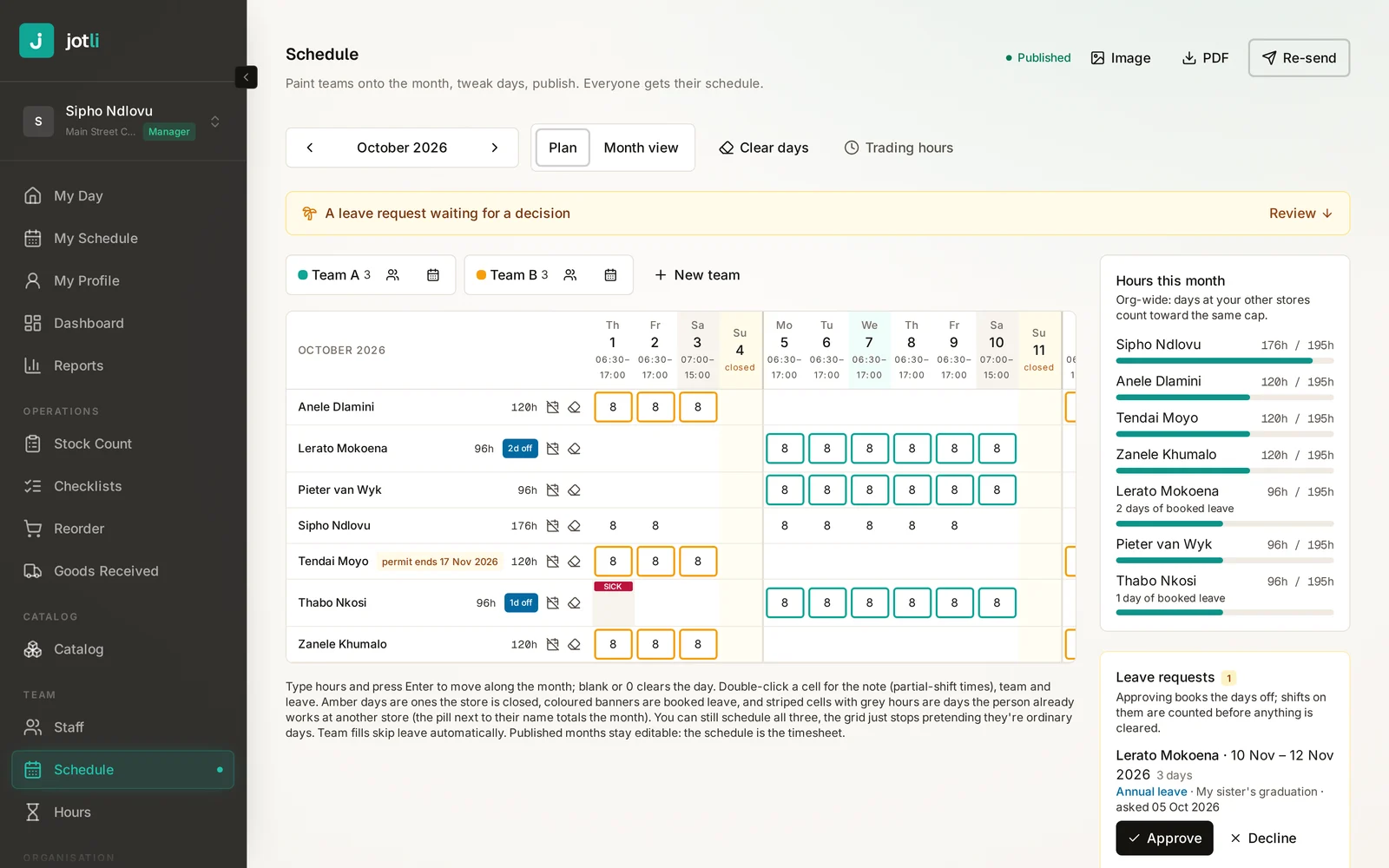
Schedule
Main Street · October 2026
Paint teams onto the month, tweak days, publish. Everyone gets their schedule.
Main Street · employed here
one app
stock, rosters, checklists and staff files
to the cent
valuations frozen on finalise
1 tap
reorder emailed or PDF
no passwords
staff sign in with a code
Everything between the count and the bottom line.
Stock, pricing, ordering, shrinkage, rosters, staff files and daily checklists in one system, per store, group-wide.
Every screen below is jotli as it runs today, taken from a demo store. The names and numbers are examples.
Count
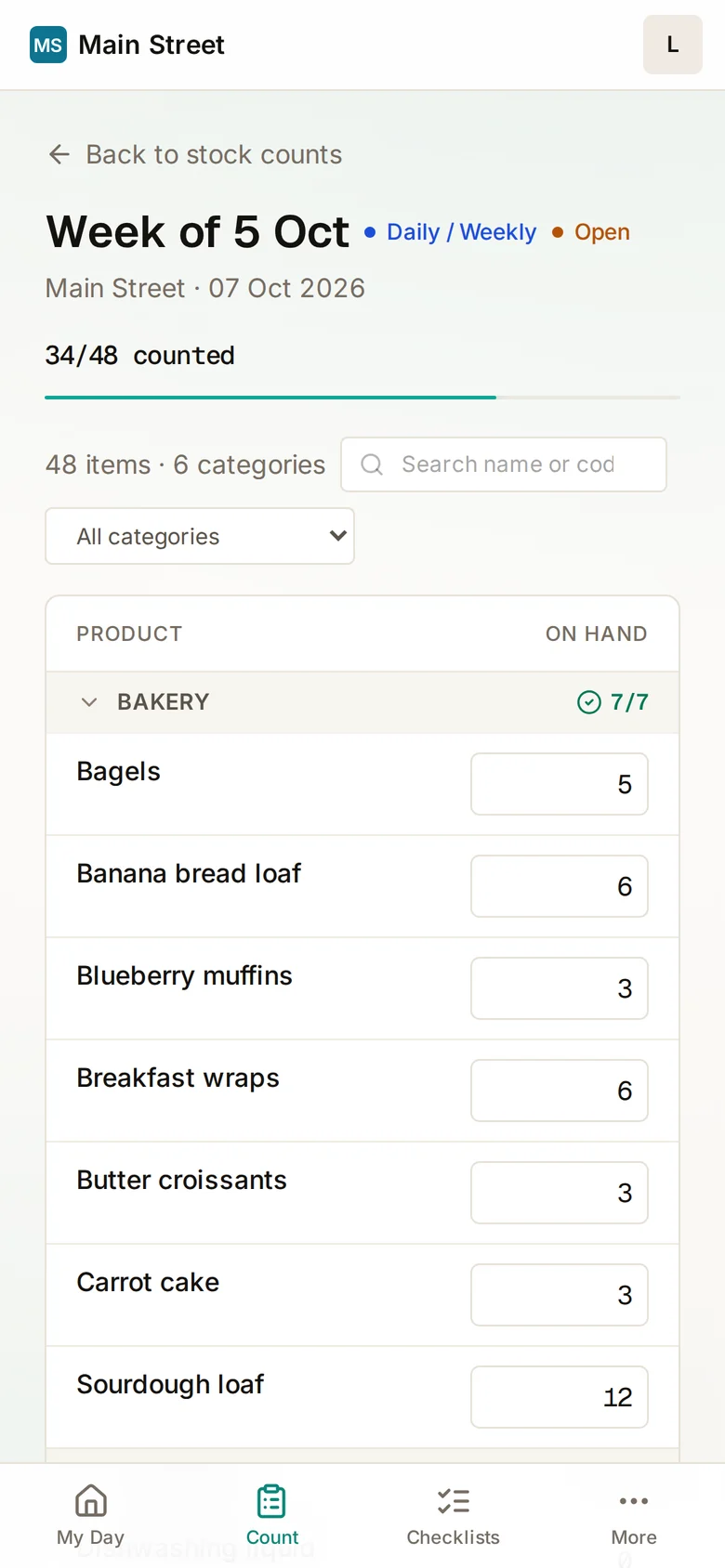
Count on a phone, not a clipboard.
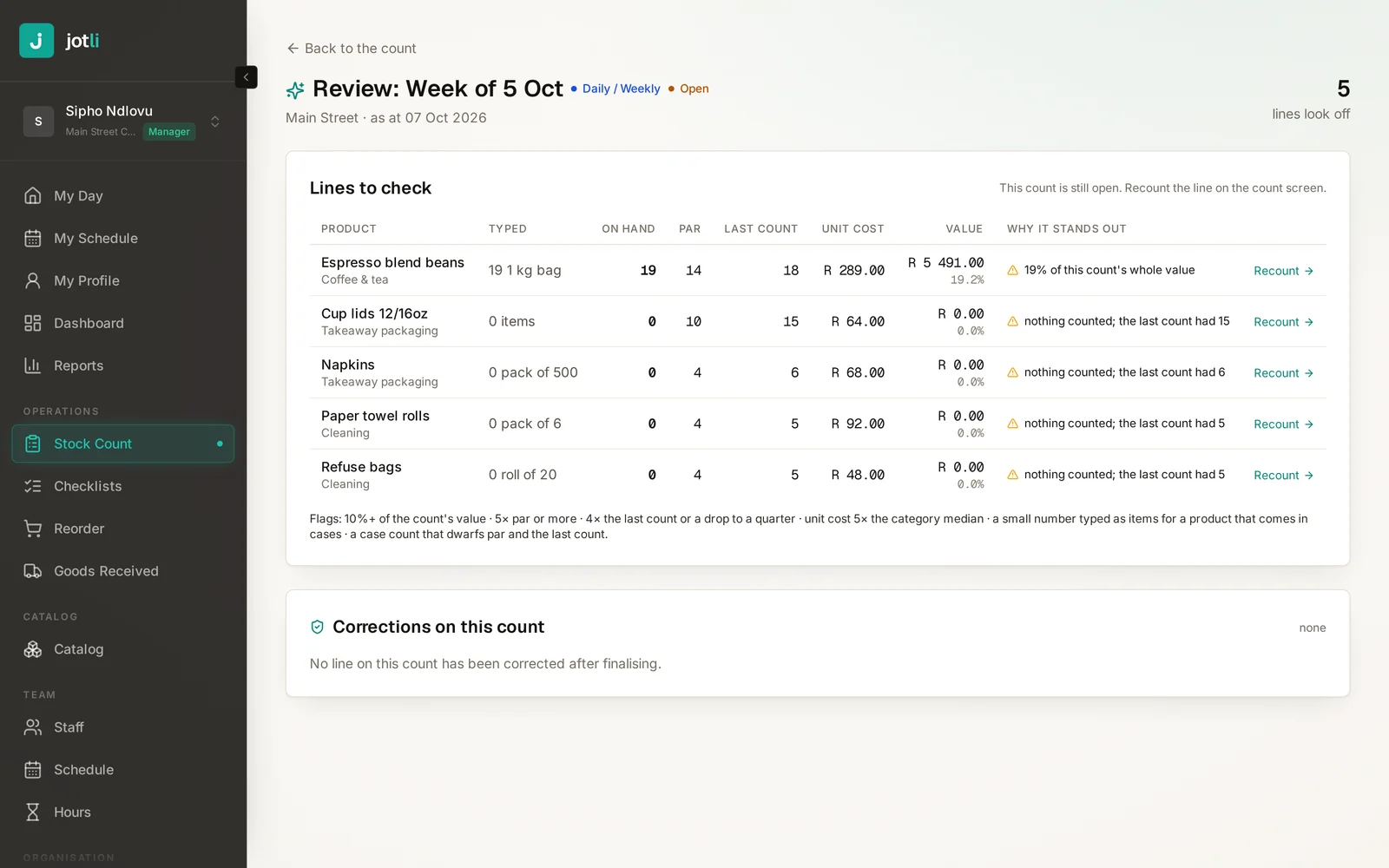
Type a number, press enter, and the next line is ready. Before anything is frozen, the lines that look off are put in front of a manager.
Weekly and month-end counts. Weekly counts catch shrinkage; the month-end count is the accountant’s valuation. Finalising freezes cost and par, so history never drifts.
Cases, packs or units. Count each line the way it sits on the shelf. Case sizes are set per store, or once for every store.
Review before you freeze it. Nothing counted, ten times par, a fifth of the whole value: each odd line is flagged with its reason. After finalising, an owner can correct one line, with the reason on record.
The storeroom counts too. A lock-up or container is its own location, folded into one stock value, and you choose who may capture which count.
Who is counting, and what was missed. Scheduled counts open on their day and show who is counting. Two people can count the month-end together, a manager can take over a weekly count left half done, and a count nobody finishes in its grace window is marked missed, never backfilled.
Order & receive
Order what is short. Check what arrives.
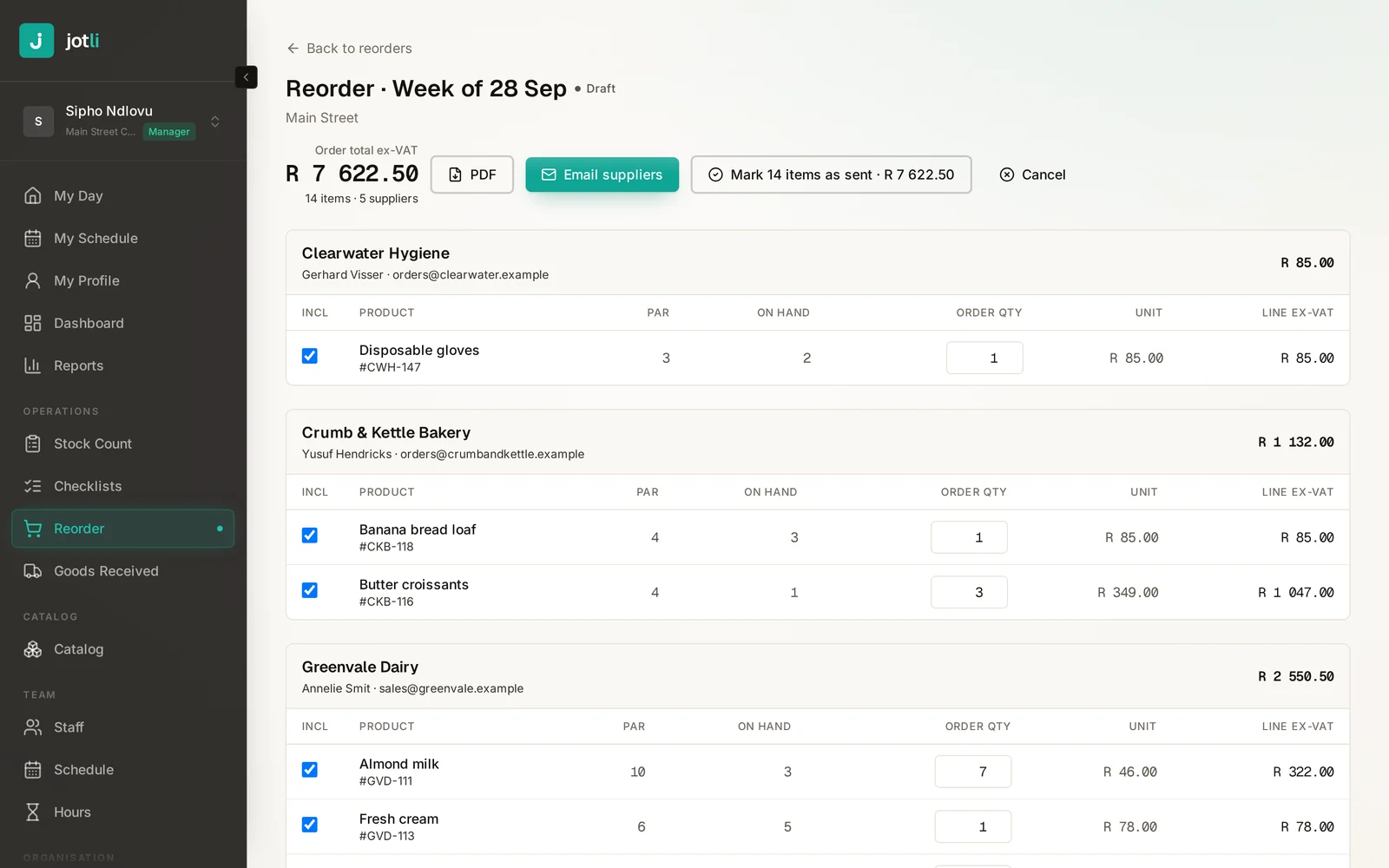
Anything under par lands on a reorder sheet, grouped by supplier. Deliveries are captured from the note itself and set against what you counted.
One-tap reorder sheets. Export the PDF, or email each supplier only their own lines, sent as your store. Custom supplier-API integrations are available on request (billed).
Scan the delivery note. Photograph it at the back door or drop the PDF. The lines are read, the note’s own arithmetic is re-checked, and each line is matched to your catalog. A manager reviews before anything is saved.
Shrinkage in rands. Goods received against what was counted, per product and per store. You see what walked out the door.
Price & par
One price list for the group, every change on record.
Head office keeps one catalog and one par per product. Each store adds its own items and adjusts where its trade runs differently.
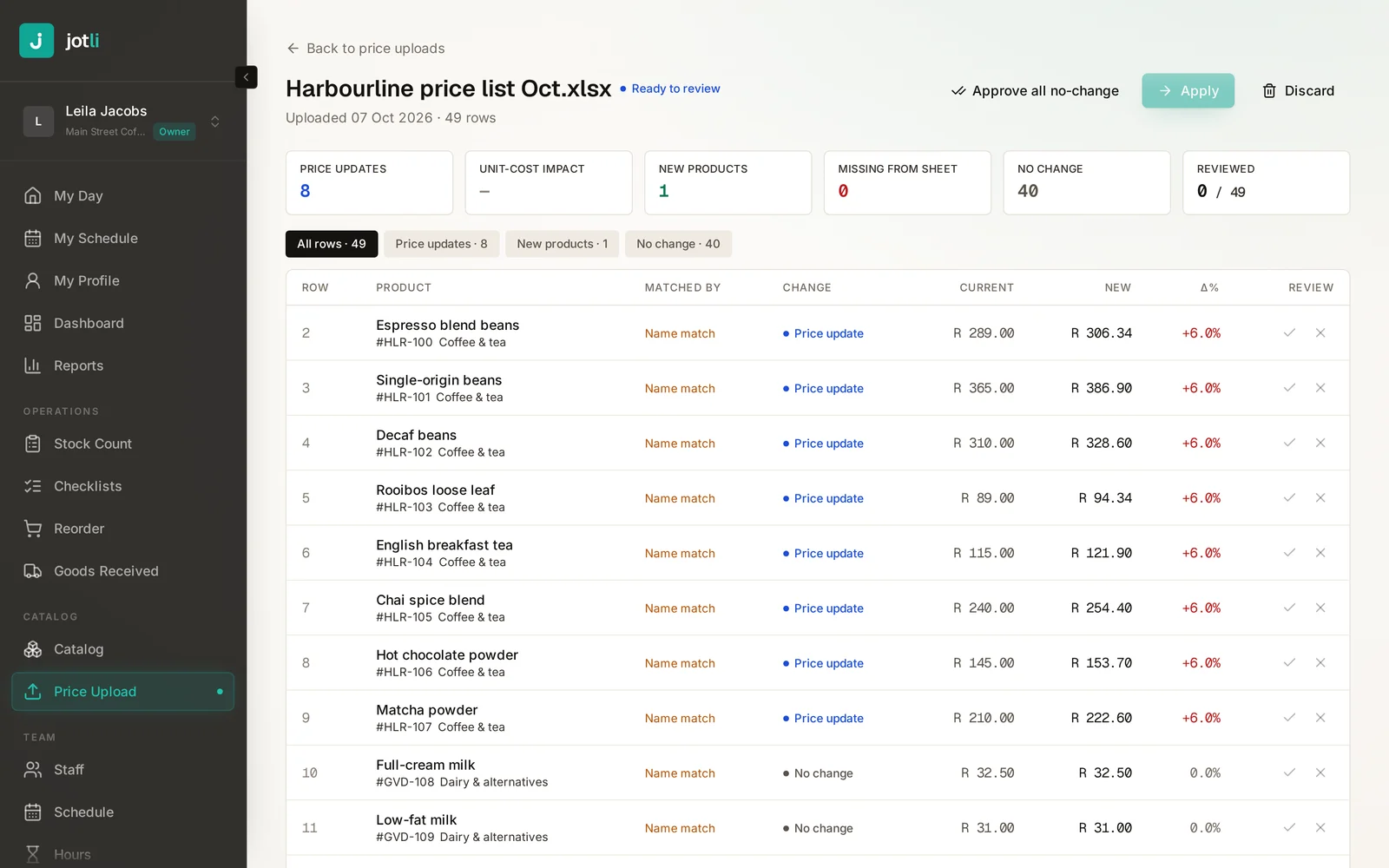
Reprice from the spreadsheet. Upload the supplier’s price list, review the difference line by line, then apply. Every change lands in a price history nothing can rewrite.
Group par, store overrides. Set par once for the group. A store overrides it, or adds a local item, without touching the shared catalog.
Roster
Rosters your team can actually read.
Paint the month from a team rotation, tweak the odd shift, then publish to every phone.
A month in one click. Teams alternate weeks or keep fixed days, filled from each store’s trading hours and public holidays. Booked leave is skipped automatically.
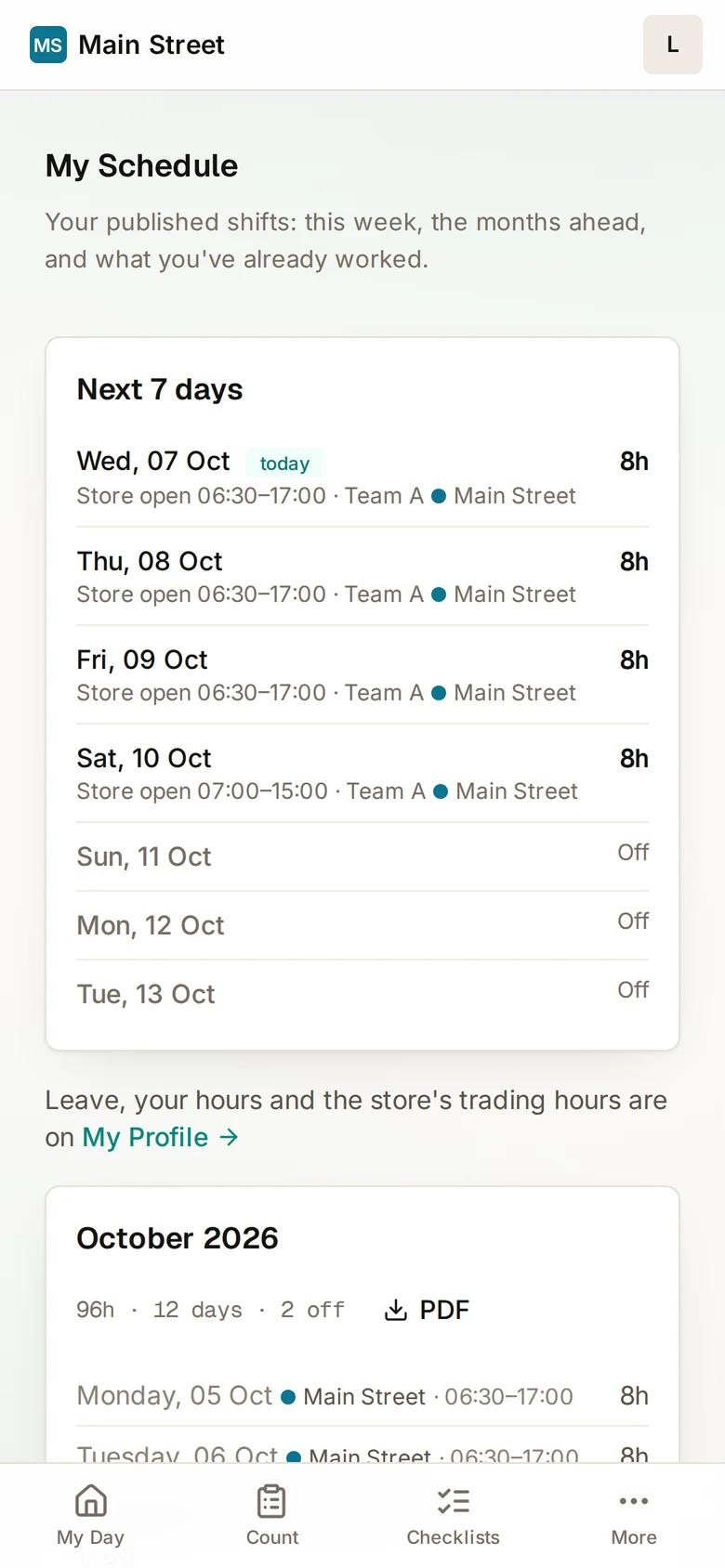
On every phone. Publishing puts each person’s days on their phone, each shift naming its store, with a print-ready month grid and an image made for the team WhatsApp group.
Leave, asked for and decided. Staff request days off from their phone. Approving books the leave and tells you exactly which shifts it clears, at every store.
Hours that balance. Hours per person against a monthly cap, and per team across a quarter, so the team that is behind is named.
People
The employee file, without the filing cabinet.
Everything about a person in one place, with the dates that matter flagged before they bite.
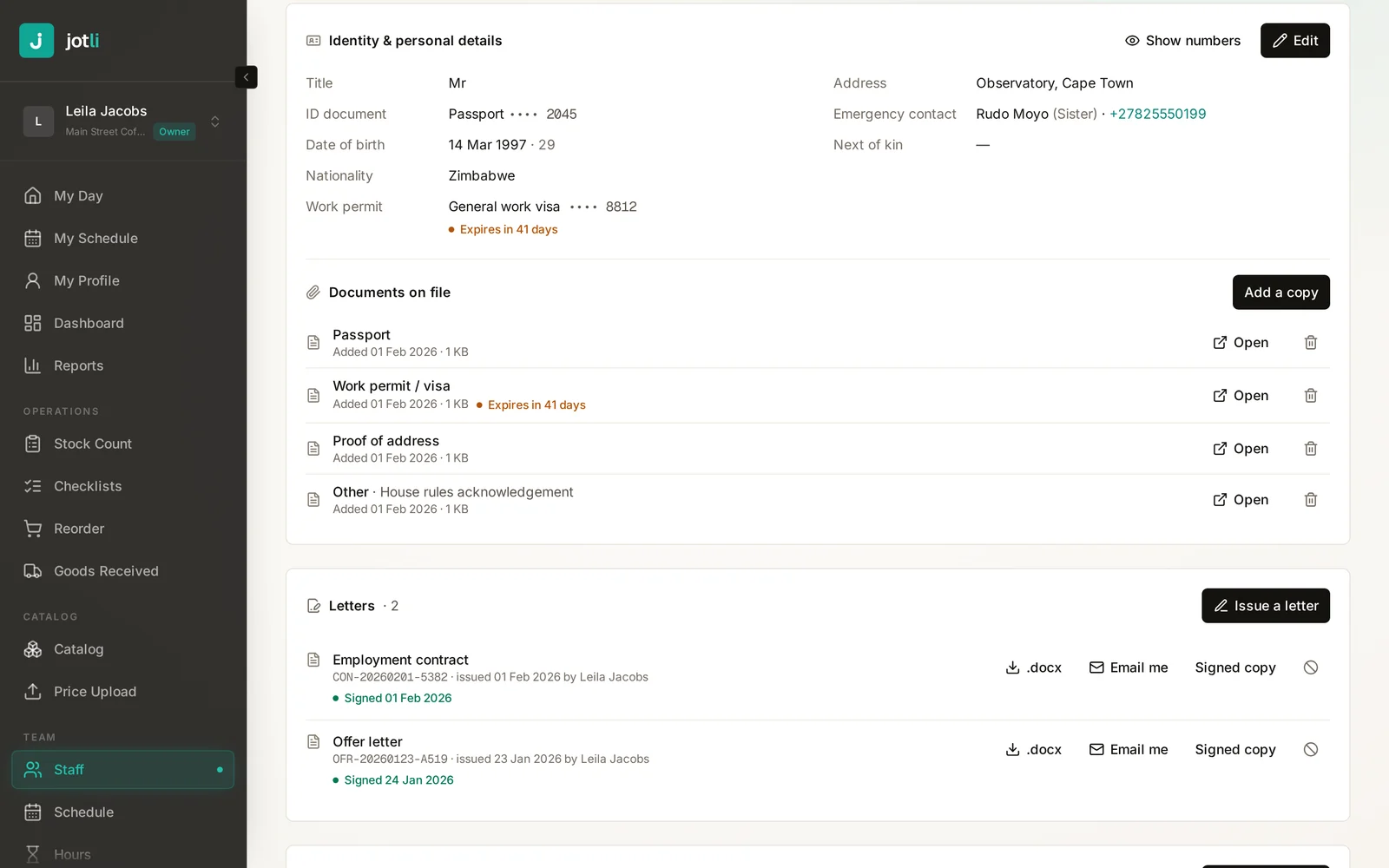
Permits that warn you first. ID or passport and work-permit details, with the expiry flagged weeks ahead. Numbers stay masked, and every reveal is logged.
Documents on file. Copies of IDs, permits and signed acknowledgements, opened when you need them.
Letters, warnings and contracts. Warnings, hearing notices and offers are written as PDFs from your own wording, with the offence text pre-filled and the earlier warnings on file in view. Contracts come from your Word template, and house rules or the disciplinary code go out as a PDF pack. Every letter stays in that employee’s register as signed, refused or void.
Rates, advances and extra pay. Pay-rate history with raises scheduled ahead, contract dates, wage advances with their repayments, and extra pay for extra shifts, public holidays and bonuses, kept apart from advances and never netted.
Report
Month-end numbers your accountant can use.
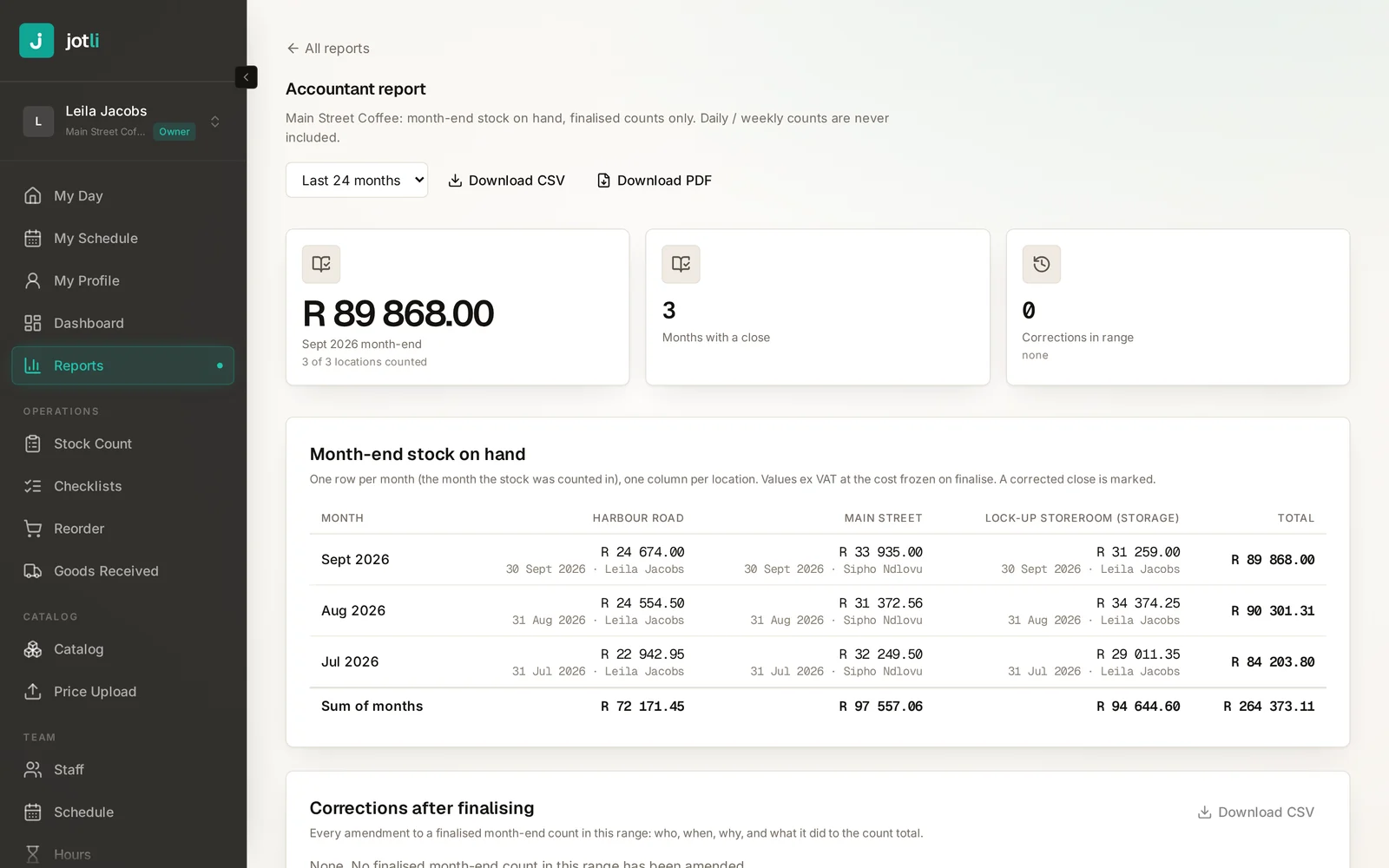
Stock value per location at the cost frozen on each count, and the people numbers behind the payroll.
The accountant’s month-end. Stock on hand per location from finalised month-end counts only, with every correction marked. CSV and PDF.
Stock on hand, everywhere. Every product at every location from its latest count, and what is under par anywhere.
People, leave, advances and extra pay. Hours, leave taken, advances outstanding and extra pay still due, per person and per store.
Run the day
Built for the floor, and the office.
Staff run their day from a phone; managers and owners get the full view on a laptop. Everyone only ever sees what their role should see.
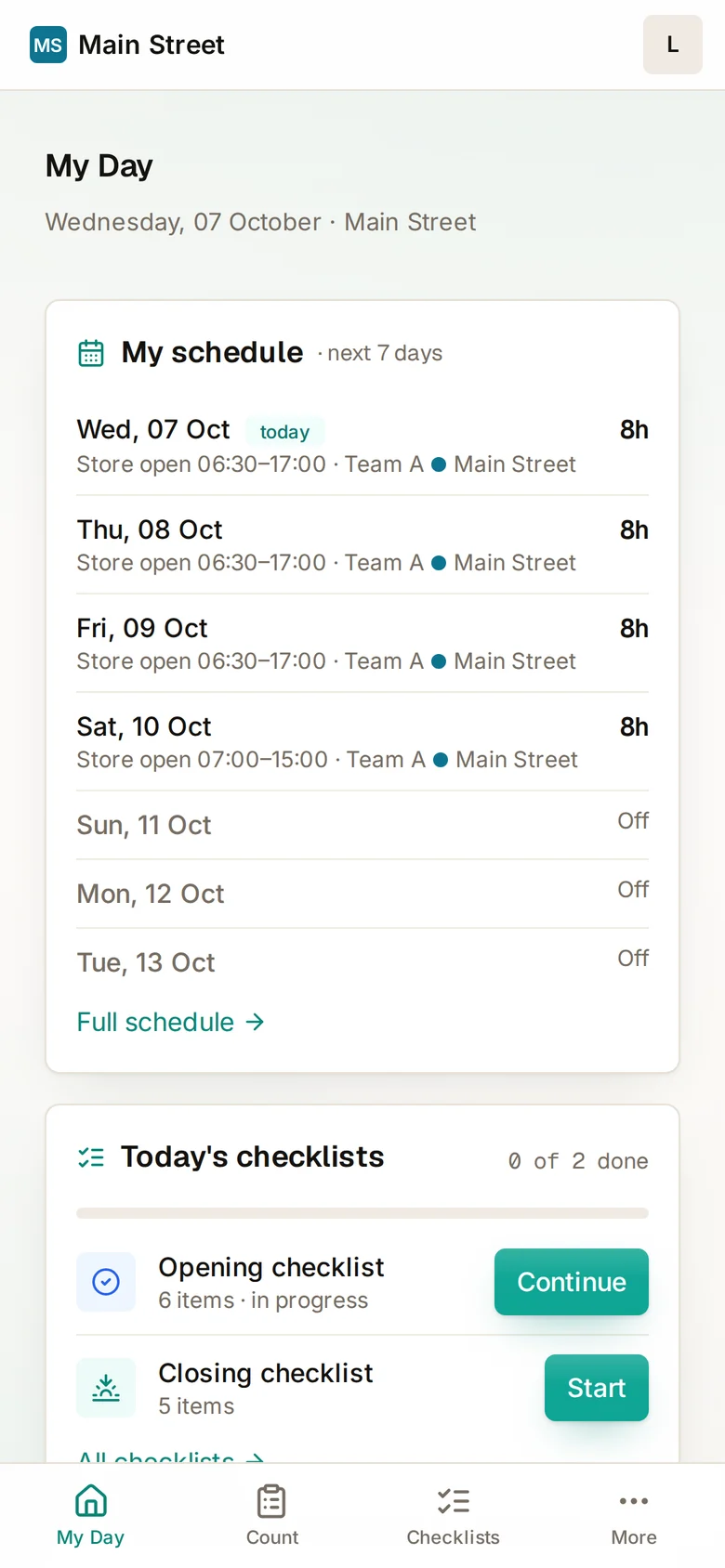
My Day. This week’s shifts, today’s checklists and the open count, on one phone-first screen. Their own profile shows hours against the monthly cap, leave, and what they owe in advances or are owed in extra pay.
Checklists with sign-off. Opening, closing and weekly routines, assigned to the people who run them, skipped only with a reason and backed by a photo where it matters.
A login for everyone. A six-digit code by SMS or email. No password to forget or share, and no email address needed.
Who sees what, down to the rand. Staff count quantities and never see a value. Every finalise, price change and role change goes on an audit trail nobody can edit.
Still to come
Payroll-lite lands next.
Scheduling, leave and staff letters have shipped. Payroll, WhatsApp notifications and the Ask-jotli assistant come next, on the same stores and the same logins.
Coming soon
Tips & payroll-lite statements
Rates, hours, daily tips and advances roll up into a monthly statement per employee.
Coming soon
WhatsApp sign-in & roster notifications
The same six-digit codes and published rosters, delivered over WhatsApp, riding the rail the SMS codes use today.
Coming soon
Ask jotli
Ask in plain language, such as “who’s under-booked this month?”, or hand it a change: “Joe is off sick Thursday and Friday.” It answers from your own stores’ data, proposes the change, and nothing happens without your confirmation.
Coming soon
Point-of-sale integration
Sales pulled straight from the till, for shrinkage measured against what you actually sold.
Every jot counts.
Know your bottom line, to the cent.
From R750 per store, per month (ex VAT). Every staff login is included, with no per-user fees. Currently onboarding pilot stores.